The AutoMerge Dashboards
This guide shows the AutoMerge Contacts dashboard, but the same dashboard exists for AutoMerge Accounts and AutoMerge Leads, one per table.
The dashboard shows the following high-level stats:
- How many duplicates you have and how they were found (MatchType)
- How large your duplicate sets are (# records per set)
- Who has been creating the duplicate records
- What precision numbers your duplicate sets fall into, from 0 (loosely matched) to 100 (closely matched), according to your customizable precision rules
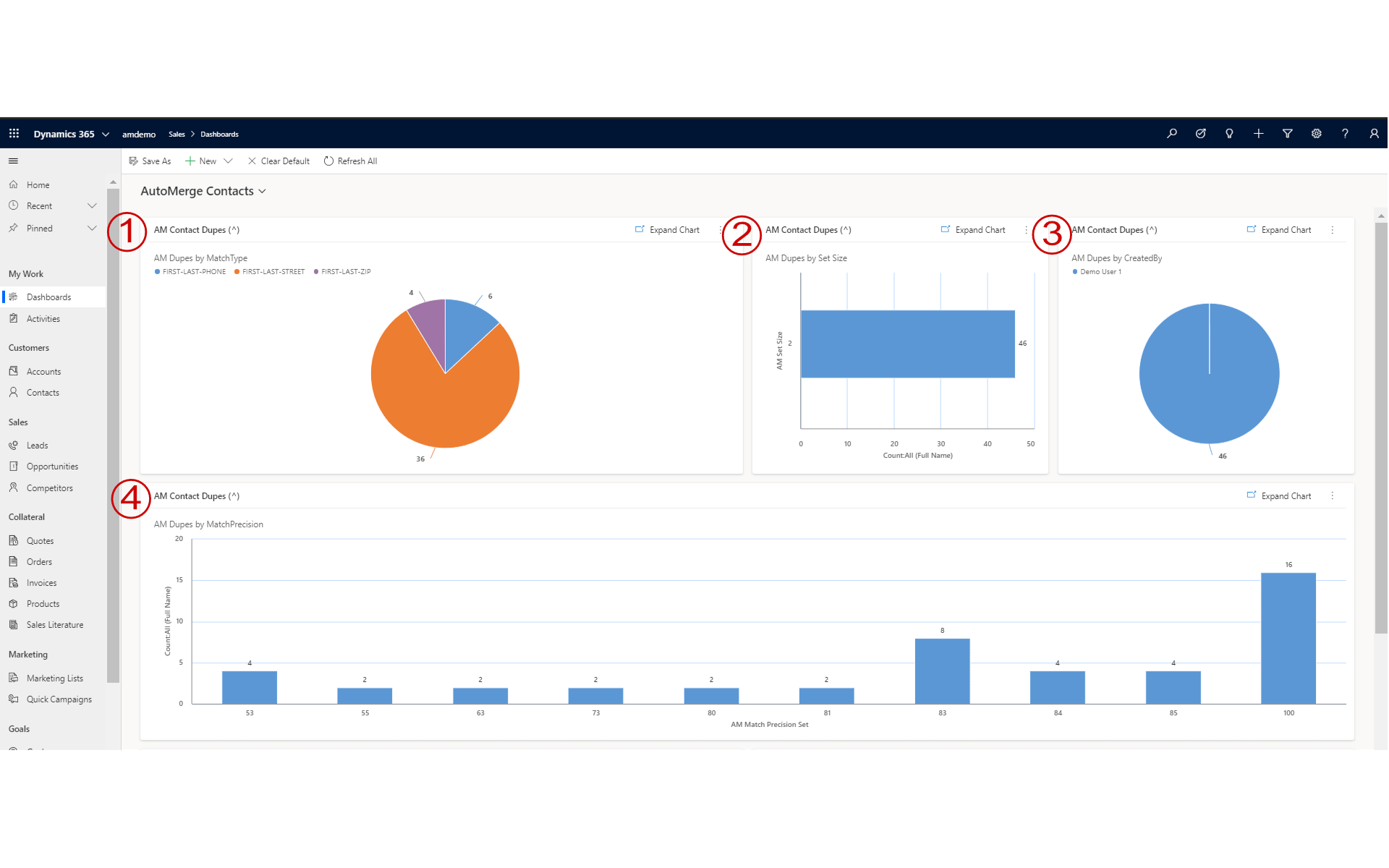
Reading the numbered callouts
- How the duplicates were found. The match type each duplicate set was first tagged under, so you can see which of your matching rules are doing the work.
- How large the duplicate sets are. A set can be as small as 2 records or as large as 10, 20, or more, depending on how messy that pocket of data is.
- Who is creating the duplicates. A breakdown by record owner or source, so you can address the actual cause, whether that's a person who needs a data-entry habit fixed or an integration process that needs adjusting.
- The precision breakdown. How your duplicate sets fall across the 0-100 precision scale, from loosely matched to closely matched.
Reading the dashboard
The "who has been creating duplicates" breakdown is the most actionable chart on this page. It often points at a specific integration, import process, or team that needs a data-entry fix upstream. Merging duplicates treats the symptom; this chart shows you the cause.
Was this page helpful?