Viewing AutoMerged History
Every AutoMerge leaves a merge audit trail in Dynamics 365: nothing is deleted, and every losing record links back to the winner it merged into.
Can a merge be undone?
No. There is no unmerge, not in AutoMerge and not in Dynamics' native merge either. Once a set is merged, the winner cannot be restored to its pre-merge state.
What you get instead is that nothing is deleted. Losing records are deactivated and remain in your CRM with all their data intact, traceable from the winner, until you decide to bulk-delete them yourself. AutoMerge never deletes anything outright.
So a merge you regret is a recovery job rather than a lost cause, because the values are still there to read and copy back by hand. But it is not a button, which is the reason to validate before merging rather than after.
Where to find merged records
Merges are traceable in two places.
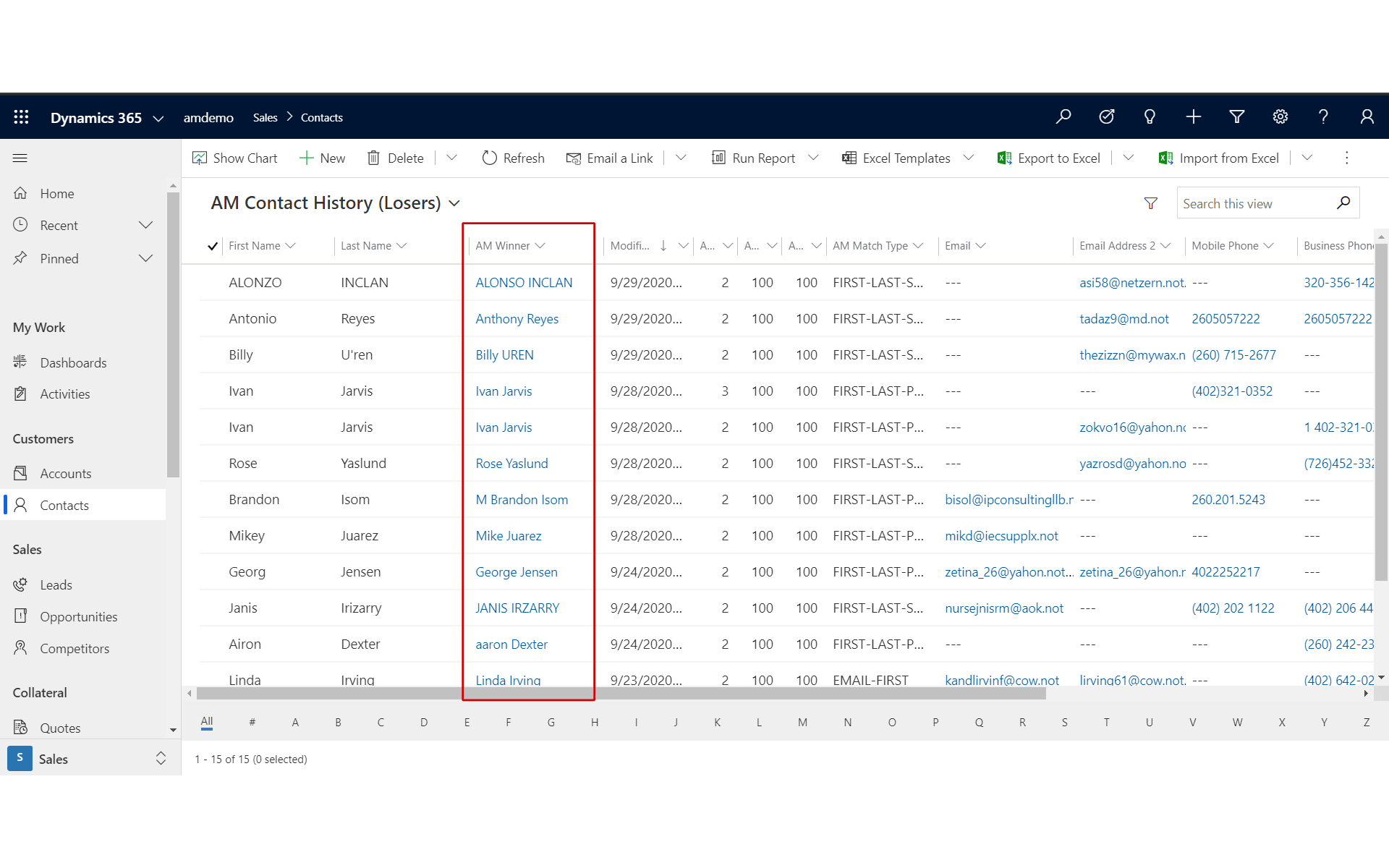
In the Contacts view
To view the deactivated AutoMerged records, switch to the AM Contact History (Losers) view. The highlighted column contains links back to the remaining active winner records.
In the active winner record
On the winner record you can see the AutoMerged Contacts subgrid listing the loser records, kept for historical reference, until you decide to recover the space by bulk-deleting the inactive Contacts in your CRM.
By default, all fields not populated on the winner are pulled from the first loser, in increasing rank order.
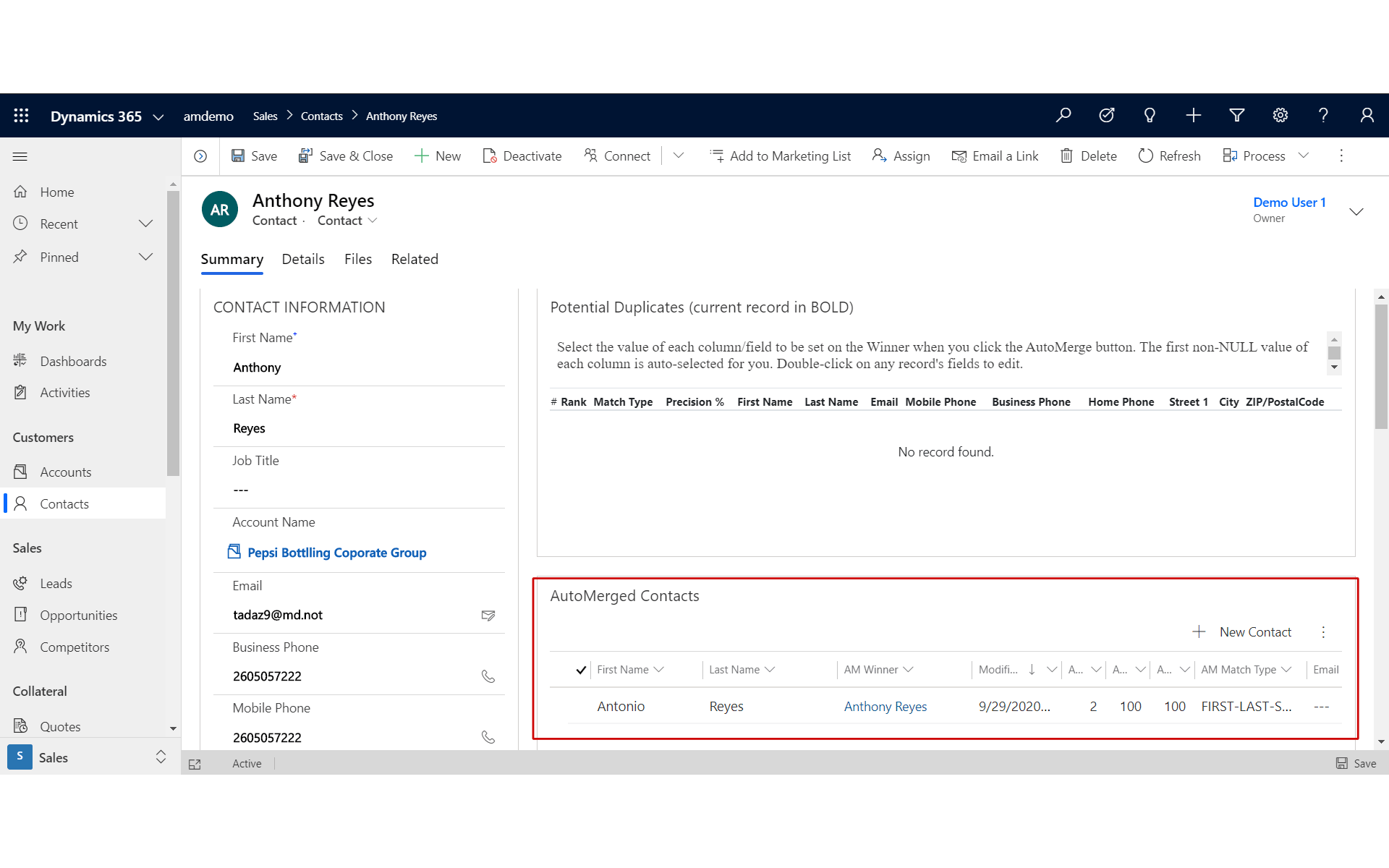
We added the AutoMerged Contacts subgrid to the out-of-the-box form for our demo. You will not see it on your OOB Contact form after importing our managed solution.
Someone with customization privileges has to add the subgrid to the form your organization actually uses.
Was this page helpful?