Complex Field Preservation
Default behavior
When AutoMerge merges a duplicate set, the plugin copies populated fields from the loser records (Rank ≥ 2) into un-populated fields on the winner (Rank = 1). It does this for every field listed in the AutoMerge Settings record for that table: Account, Contact, or Lead.
Simple "non-NULL replaces NULL" logic. It works well when the winner has no value and a loser does.
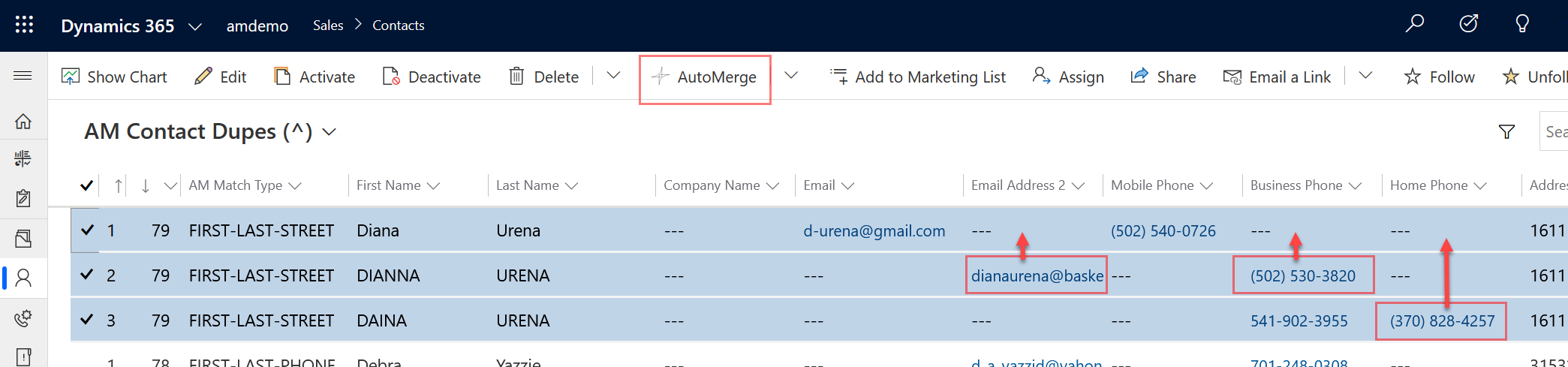
Where it falls short
What happens when the winner and the loser both have emailaddress1 populated, with different values?
The loser's email is not preserved. It survives only on the deactivated loser record, reachable through the merged-records subgrid.
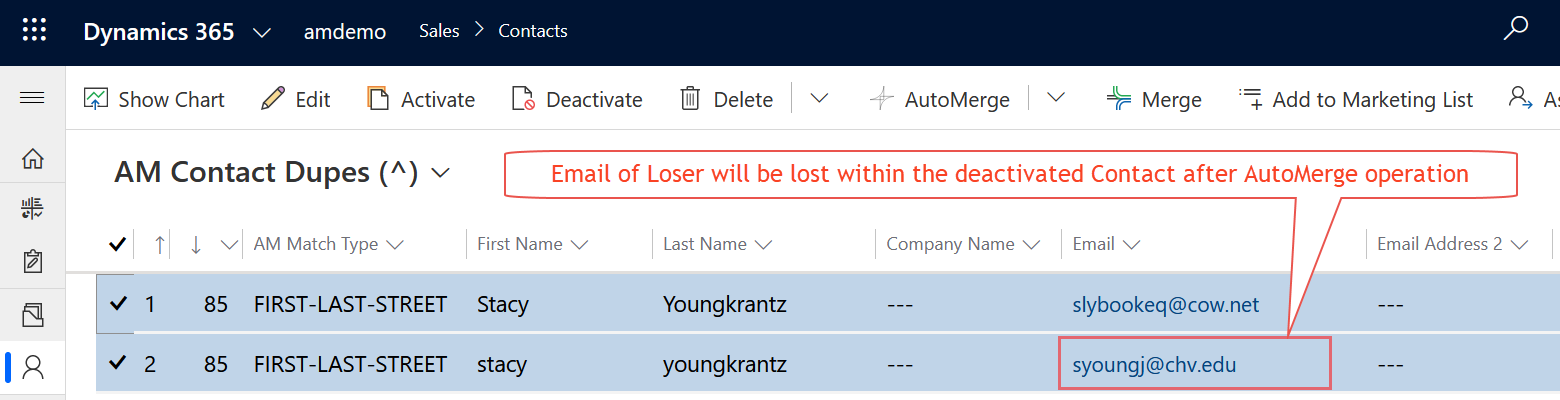
For a customer's second email address or a contact's old mobile number, that's real data quietly going out of reach.
The fix
Suppose you want the loser's emailaddress1 preserved into the winner's emailaddress2, but only when both records had emailaddress1 populated with different values and the winner's emailaddress2 is empty.
That's complex field preservation, and it's configured as a synchronous workflow rule that runs in the context of the loser as it's merged.
It applies most often to fields where a record legitimately has more than one value:
- Email addresses:
emailaddress1→emailaddress2→emailaddress3 - Phone numbers:
telephone1→telephone2→mobilephone - Addresses
How to set it up
The full procedure (trigger conditions, the update step, and the ordering caveats) is in the administration guide:
Complex field preservation via workflow rules →
The administration guide documents the mechanism honestly, but in practice complex field preservation is difficult to get right from documentation alone. The conditions have to match your specific fields, and the workflow has to be synchronous for the ordering to hold.
Most customers who need it set it up on a call with us. If you get a condition subtly wrong, you find out after a few hundred merges have already run, and there is no undo.
Send us a support message and we'll scope it with you.
Was this page helpful?