Matching, Ranking, and Precision Rules
When the AutoMerge service analyzes your CRM for duplicates, it follows a set of rules kept together in a single Analysis-Rules record.
The five parts of an Analysis-Rules record
- The Table Definition under analysis. For example,
Contact. - An optional custom FetchXML statement that determines which records should be analyzed. This can be generated from your CRM's Advanced Find tool. If left blank, all active records of the entity are used.
- A set of Matching Rules, used in a specific order to find duplicates in your CRM.
- A set of Ranking Rules, used to sort the members of the duplicate sets found in step 3.
- A set of Precision Rules. These feed an algorithm that scores each resulting duplicate set from 0–100 based on how closely matched its members are.
With the exception of the custom FetchXML statement, all of the above is required for a successful analysis. These analysis-rules are fully customizable.
The GENERAL tab
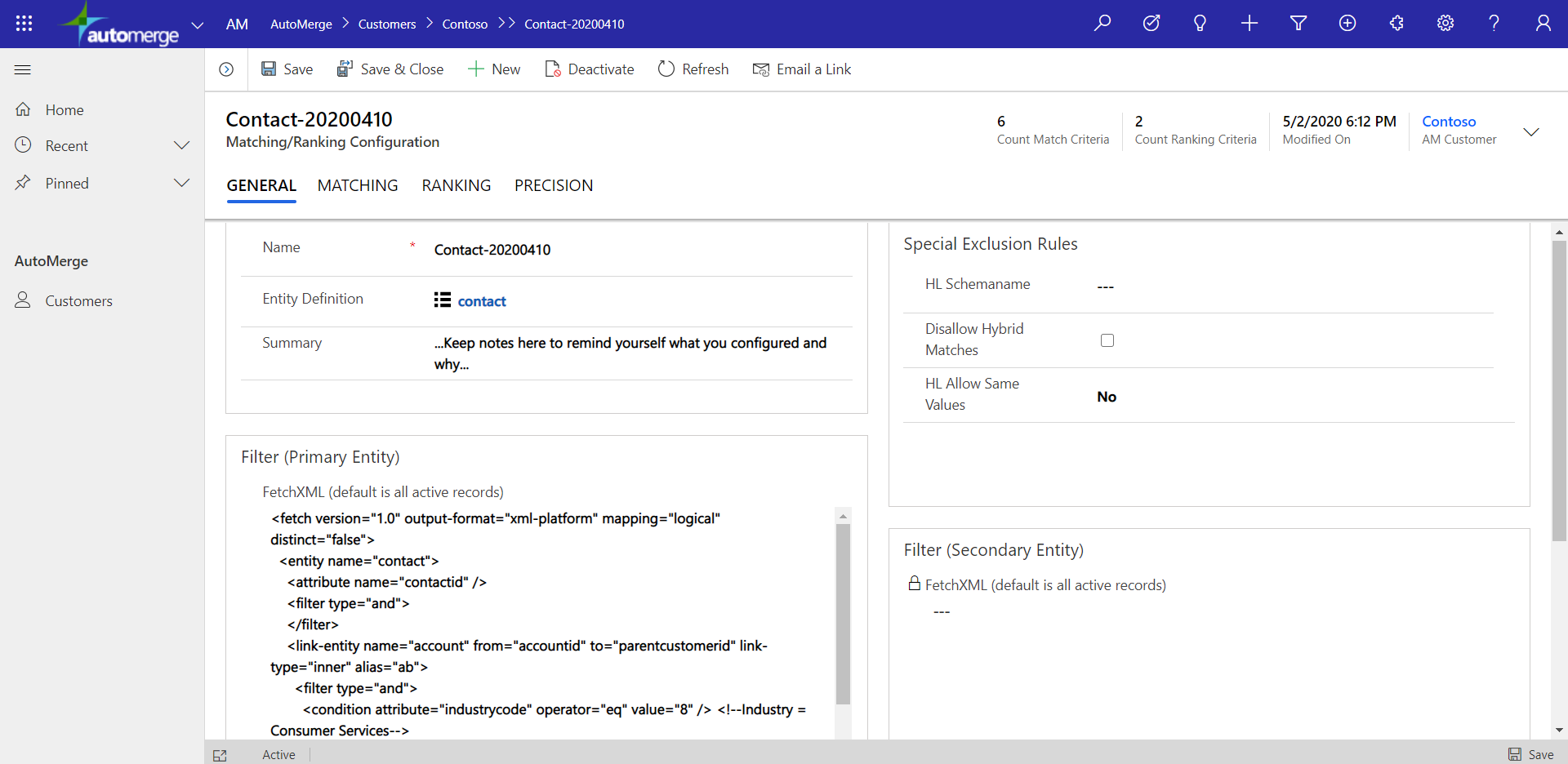
Walking through a Contact-XXXXXXXX analysis-rules record, the GENERAL tab includes:
Table Definition
Stored as a separate object. Within the table definition is a list of all columns needed for the matching, ranking, and precision rules.
FetchXML Filter (optional)
Open Advanced Find in your CRM, add some filters, export the FetchXML text, and paste it here.
You can craft FetchXML statements using the legacy Advanced Find dialog in Dynamics CRM: build your filter, then use the Download Fetch XML button in that tool to get the fetch statement. See Microsoft's Advanced Find guide for the full walkthrough.
For example, you might list all contacts whose parent account is in the Consumer Services industry. A request submitted with those analysis-rules would analyze only those contacts.
<fetch>
  <entity name="contact">
    <attribute name="fullname" />
    <link-entity name="account" from="accountid" to="parentcustomerid">
      <filter>
        <condition attribute="industrycode" operator="eq" value="37" />
        <!-- You can add a comment tag to your FetchXML manually to remind yourself what you were filtering on. Example: 37 = Consumer Services -->
      </filter>
    </link-entity>
  </entity>
</fetch>
In addition to the FetchXML filter, the CRM user configured in the CRM connection may be limited by its security roles, which can further restrict which records are analyzed during a request.
The AutoMerge analysis process only reads <filter> tags and <link-entity> tags from the FetchXML you paste in. The rest of the statement, such as the <attribute> list, is ignored and has no effect on the analysis. Nonetheless, it needs to be a valid FetchXML statement.
Was this page helpful?