Precision Rules
The PRECISION tab shows the matching rules (schemanames) that are weighted together to give each duplicate set a number from 0 to 100, based on how closely matched the members of that set are. This duplicate match scoring is how you decide which sets are safe to merge in bulk.
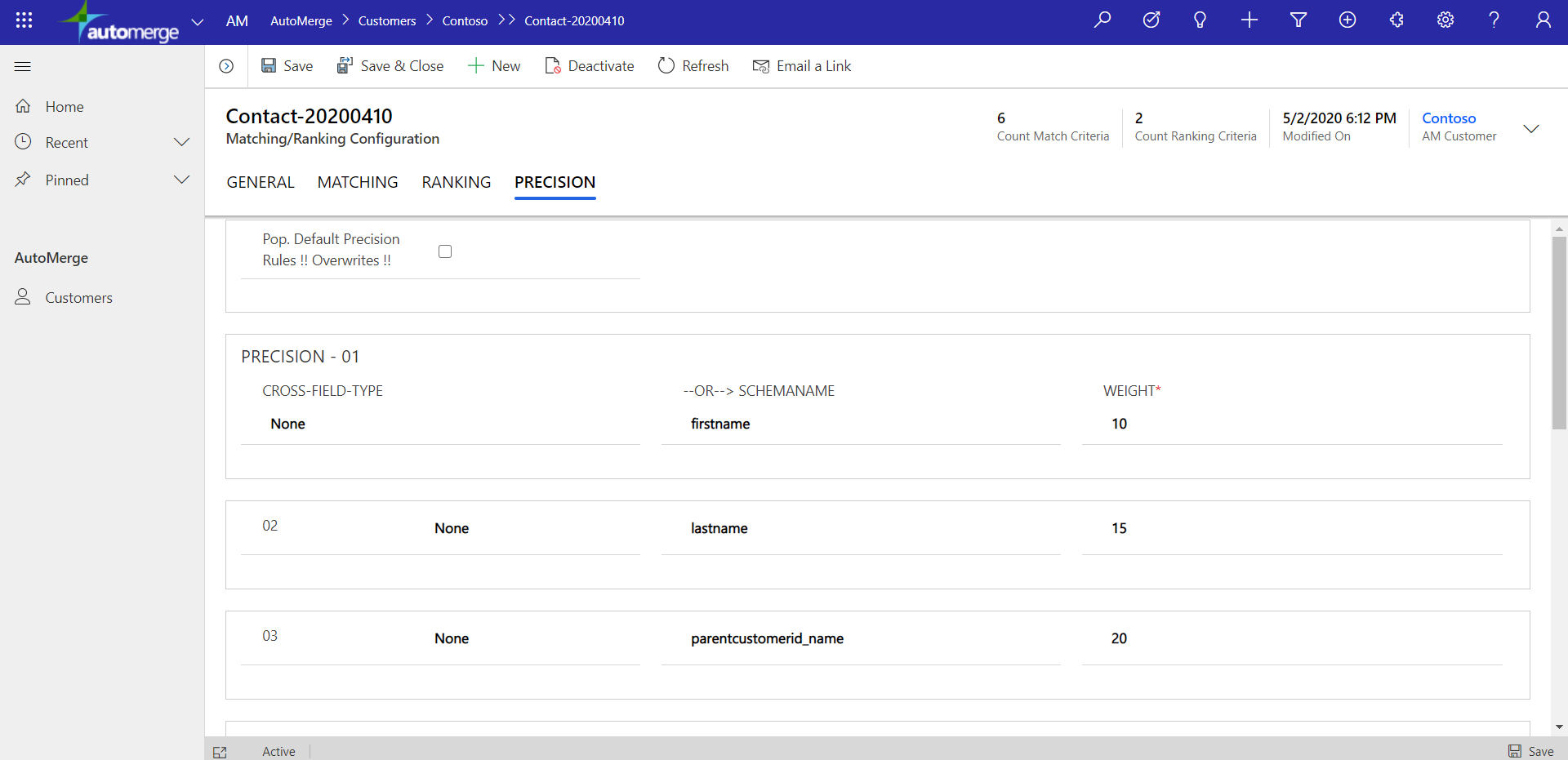
Changing precision rules changes the scale that precision and confidence scores are written into your already-tagged duplicate sets. This is rarely something you need to do. Make changes with caution and test thoroughly against a Sandbox connection before pointing the analysis-rules at Production.
How the score is calculated
Precision is the fourth of four steps in an analysis: (1) filter with FetchXML, (2) find sets with matching rules, (3) rank set members with ranking rules, then (4) score precision.
For each column (field) in the precision definition, the service compares values across the set and checks whether they match exactly or fuzzily: nickname, misspelling, sounds-alike, and a number of other techniques. An exact match contributes that column's full weight; a fuzzy match contributes partial weight.
| Score | What it describes |
|---|---|
| Precision Single | The score for one record of the duplicate set. The winner-designate record (where rank=1) is always 100. |
| Precision Set | The average of the Precision Single scores across all records ranked above 1. This is the number shown in the dupes views. |
There is no simple published formula, because the weighting behind the comparison is proprietary. What matters operationally is the shape of it: high scores mean the set's members agreed on the columns you told the service to care about.
Hybrid Lead-to-Account and Lead-to-Contact matching uses a locked version of the precision algorithm. It cannot be customized.
How to use precision scores
Precision is what makes bulk merging safe. It lets your team triage. The table below is an example breakdown; the exact numbers will vary by your own data, but in general precision splits into three chunks: an upper chunk that can be AutoMerged in bulk with minimal review, a middle chunk that needs some human review before AutoMerging, and a lower chunk of loose matches that may never get AutoMerged, and that's fine.
| Precision | Typical handling |
|---|---|
| 90–100 | Merge in bulk with a quick visual scan |
| 60–89 | Review set by set before merging |
| 0–59 | Investigate. Likely a matching rule that is too loose, or genuinely distinct people |
Use the AM Contact Dupes (^) view to work top-down from your highest-confidence sets.
Your understanding of where these three chunks fall on the 0–100 scale is specific to your data as scored by your current precision rules. If you change those rules, that breakdown can shift, sometimes drastically. Re-review the distribution on the dashboard after any change before trusting the same thresholds again.
Choosing weights
Weight reflects how unique a column's value tends to be in the real world, not just in your data. A column that is nearly always unique to one person deserves a high weight; a column shared by many different people deserves a low one.
- A shared email address is near-conclusive, so it gets a high weight. It is one of the most unique identifiers in the real world. The exception: shared inboxes like
info@company.com, or employees at a conference using a shared alias instead of their real work address. These make one email address common to many contacts, so weight it lower for tables where that pattern is common. - A shared phone number is also fairly unique, so it gets a comparably high weight, though it is stronger in B2C data than B2B, where a whole office can share a main line.
- A shared last name is common to many unrelated people, so it is weak on its own and gets a low weight.
Tune, run an analysis against a Sandbox connection, and review the resulting distribution on the dashboard before pointing the analysis-rules at Production.
Was this page helpful?